How to make a custom DTF Gang Sheet in CANVA
In this article we will share how to make a gang sheet inside CANVA.
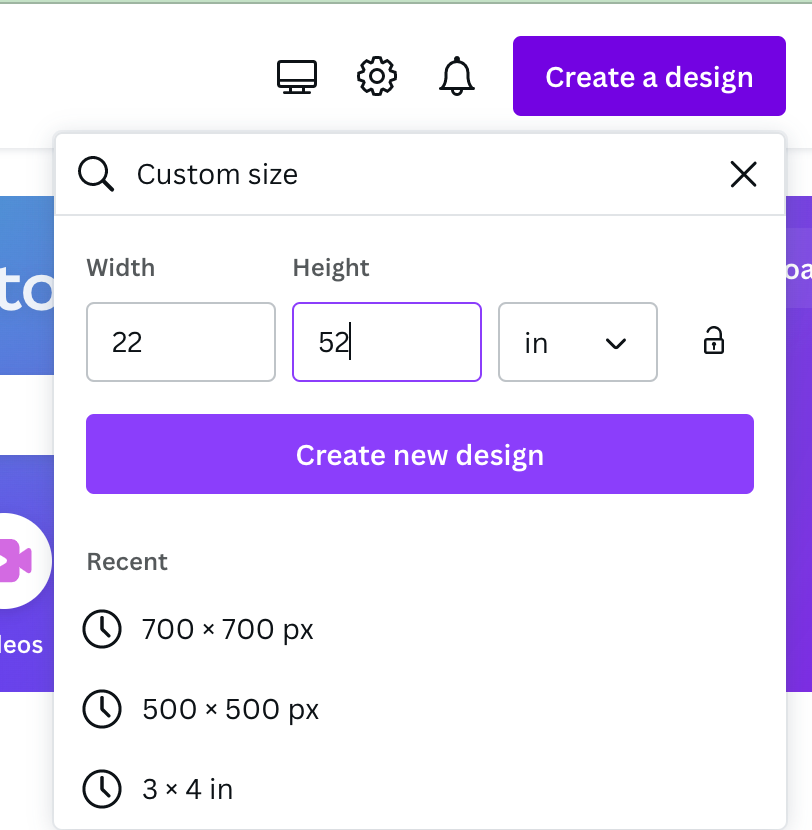
Step 01 - Open CANVA up, on the right hand side you’ll see a purple button that says "create a design". After clicking it a window will drop down, on the bottom click “Custom Size”.
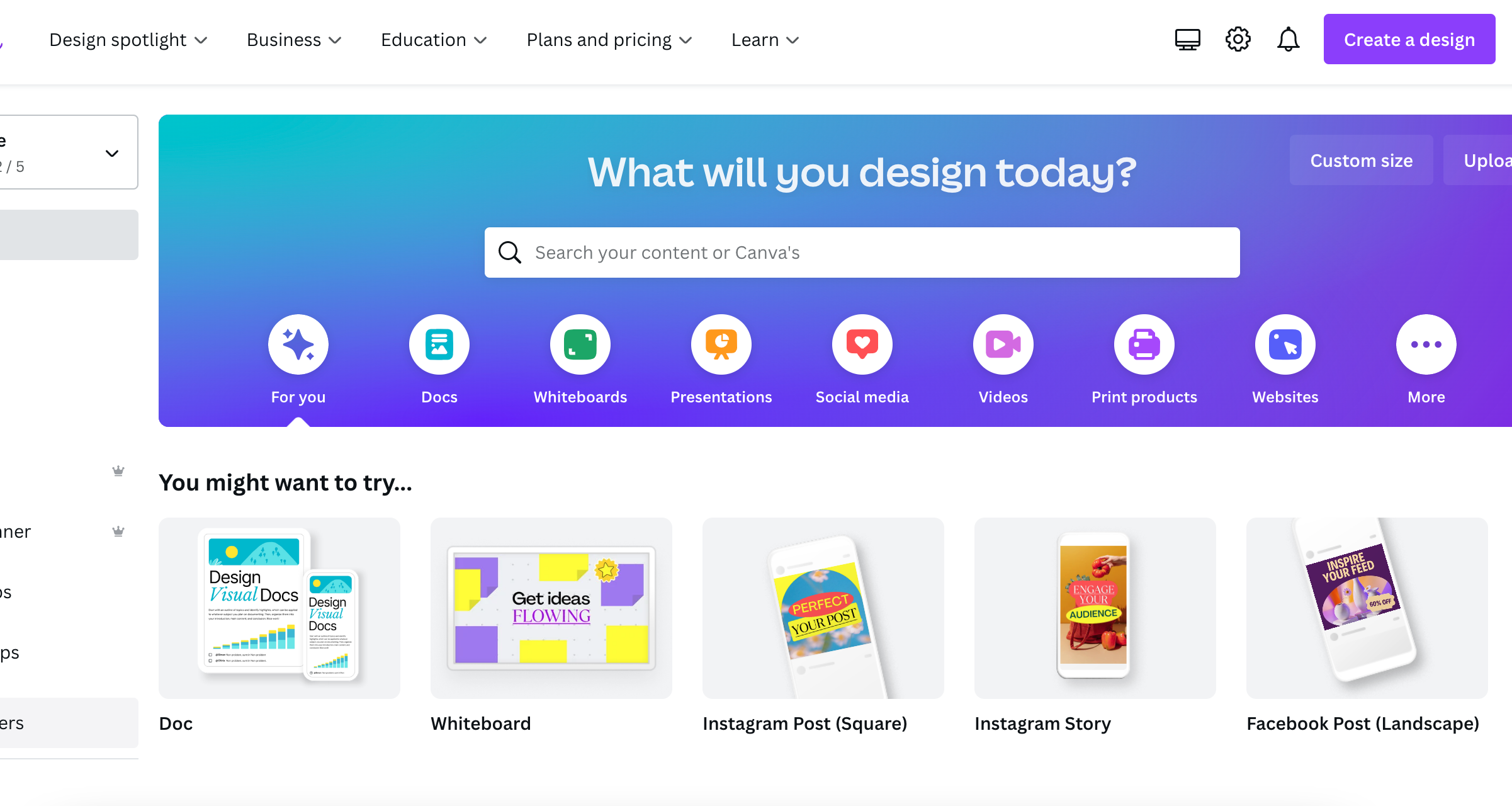

Step 02 - Make sure to change the size from PX to Inches. For the width you’ll enter 22 Inches for DTF or 11 Inches for UV DTF, the height depends on the size of gang sheet you plan to purchase. CANVA only goes up to 100 inches. In this tutorial, we will make a 22x108 gang sheet so we will need to separate the canvas to equal 108. We will make the height 52 and create two separate gang sheets.
Step 03 - After your canvas opens, on the left hand side you’ll see a tab that says “uploads” go ahead and upload your images here. Make sure they are high quality, PNG, and also transparent.
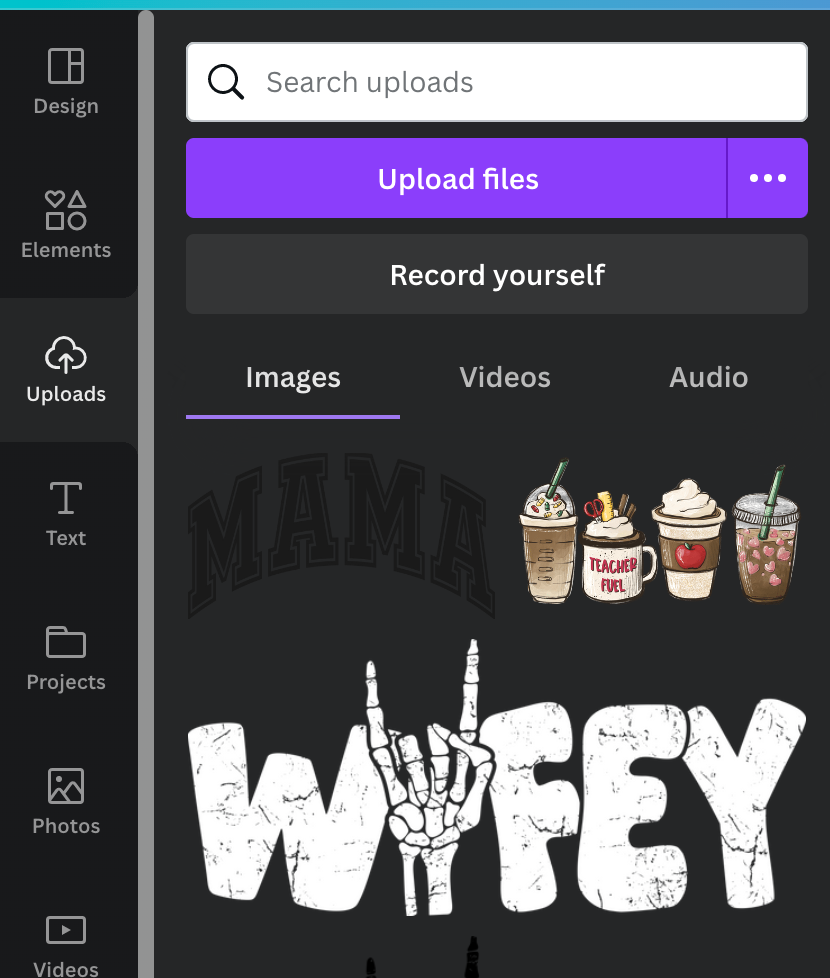
Step 04 - Click on the image you want to put on your gang sheet, By using the 4 dots around the image you can scale it to the size you’re wanting or even rotate it by using the rotation icon that appears to fit more onto the gang sheet. Once you have the correct size you may click the image and use the duplicate tool to get the same size.


Step 05 - Repeat this process till you have all your desired designs laid out onto the canvas. Fill it as much as you can as long as things aren’t overlapping and you believe you will be able to cut around the designs without ruining one. If you are making it bigger then 100 Inches we will need to duplicate it, you can use the same design layout or you can create an entirely new gang sheet on the next one.

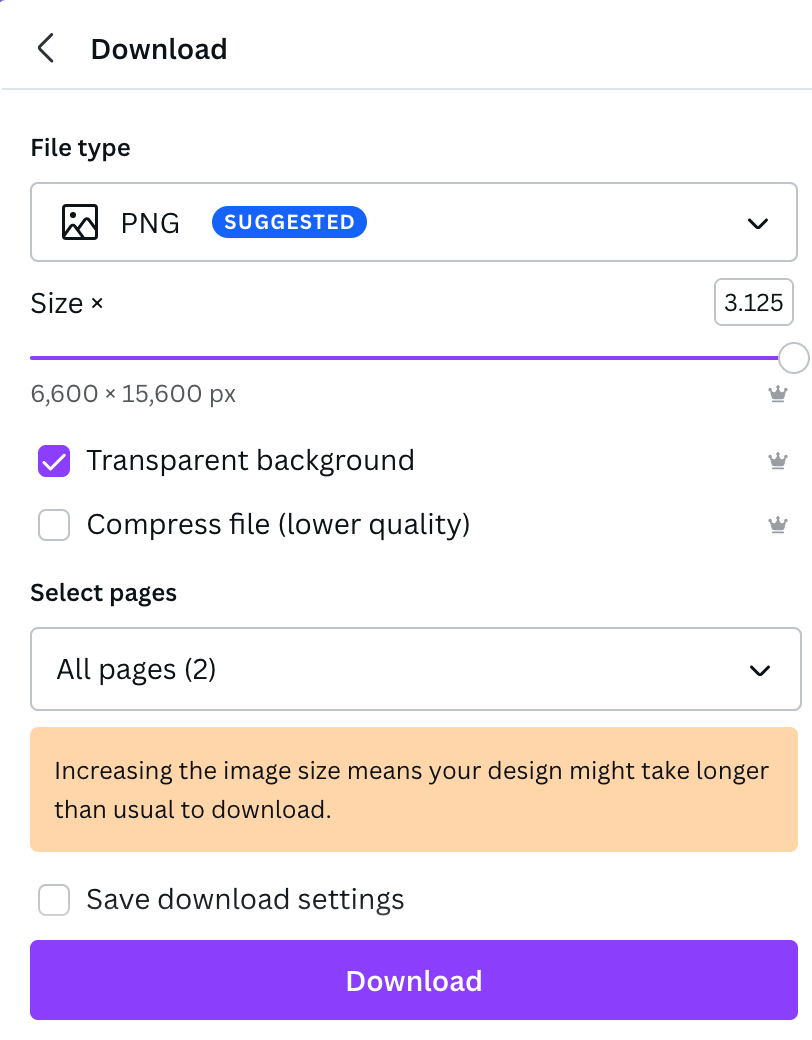
Step 06 - Now that your gang sheet is completed its time to save it and send it to us. By clicking the white “share” in top right corner. Then scroll and hit “download”. Make sure its PNG, Then slide the size to the max so the quality is good when saving. Make sure to click TRANSPARENT BACKGROUND to ensure the white background from your canvas is gone.
Learn More: What is a DTF Transfer?

Step 07 - Once downloaded, head on over to our website, check out, and email us at customs@teddytransfers.com with the order # in the subject line.
Don't want to build your own in Canva? Use our online gang sheet builder to upload designs, arrange them, and order custom DTF gang sheets in minutes.